Site Settings
To manage settings, go to Settings menu item.
From here you can go to your desire site and change the site setting by click on setting icon.
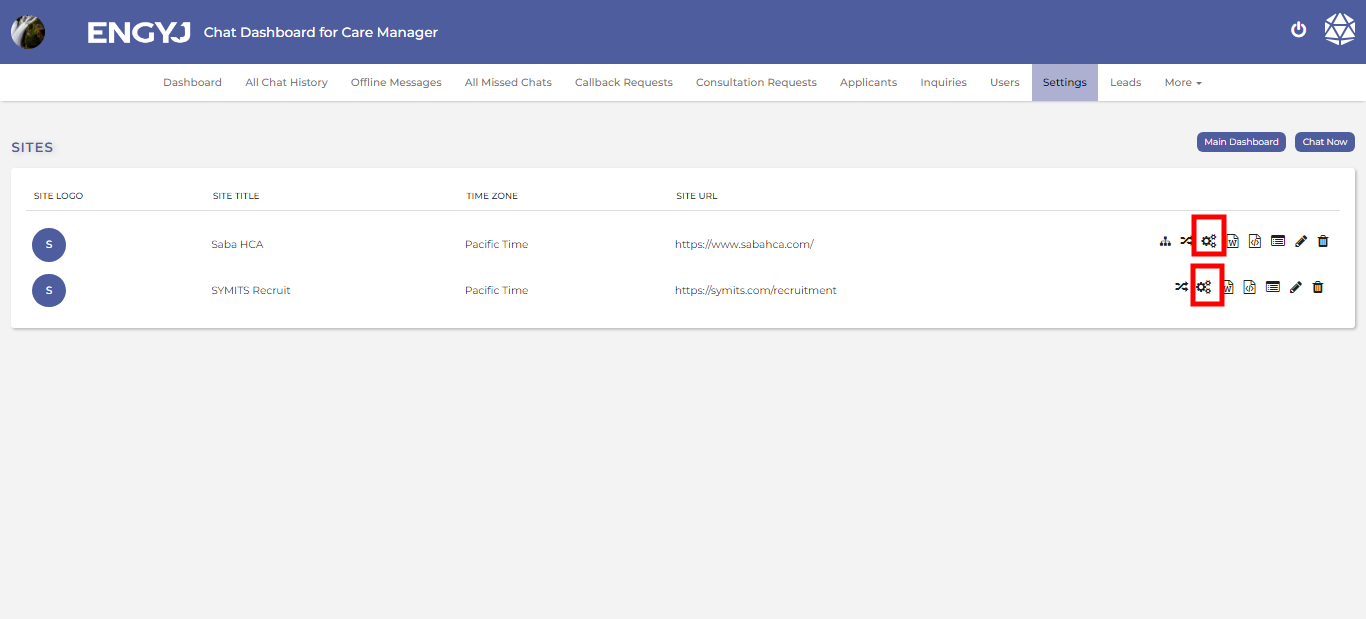
It will redirect you to the setting page from you can change the setting according to your needs .
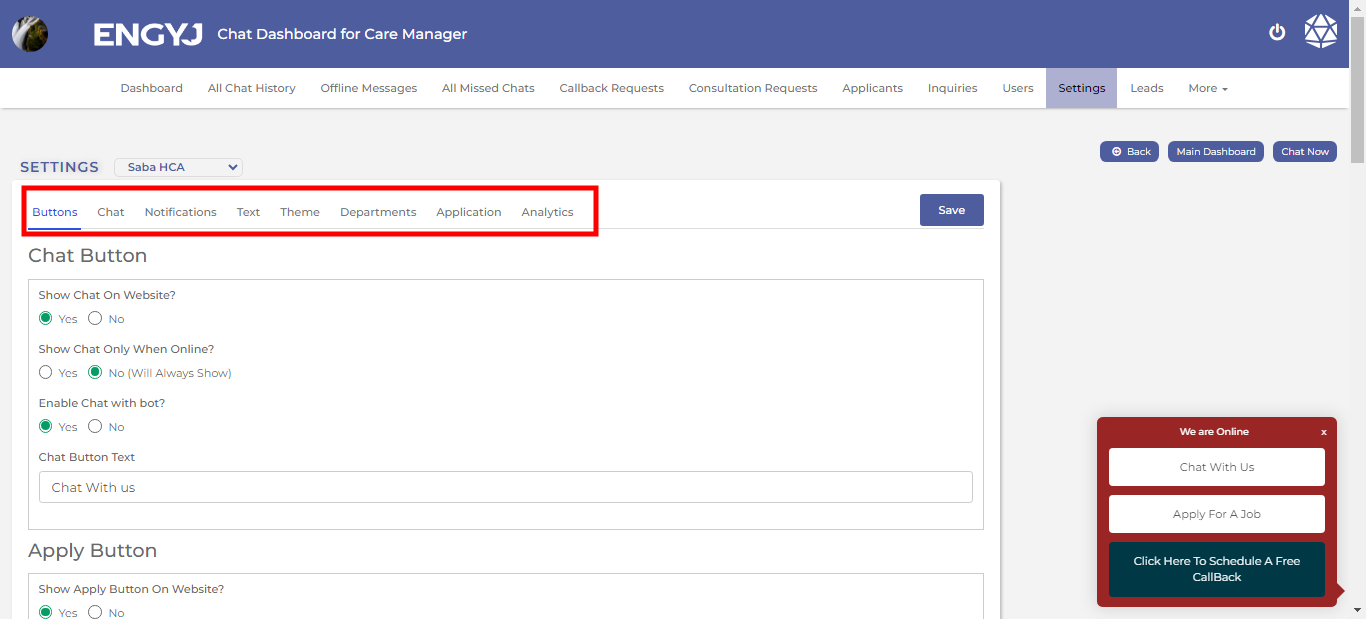
You can make changes by selecting the desired option in any column of the settings table.
If you want to make changes in buttons, click on the button;
For chats, click on chat;
For notifications, click on notification.
For text, click on text;
For theme, click on them.
For department. click on department.
For application, click on application.
For analytics, click on analytics.
After changes click on the save button on top right corner of the table.