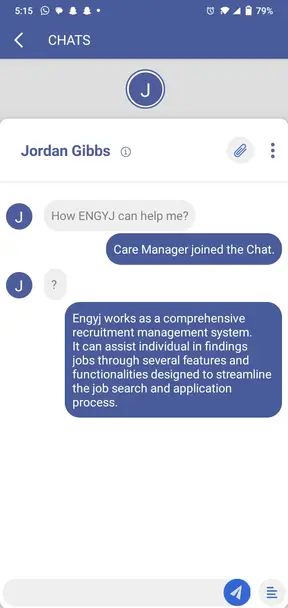
Ongoing Chat
Users and administrators can start a chat session within our interface. Upon the admin's acceptance, a dedicated chat window promptly opens for both parties.
Users and administrators can easily exchange text messages. However, only administrators can send attachments.
Administrators gain access to user details, including email addresses, contact numbers, and locations, enabling personalized interactions.
Administrators can efficiently forward relevant conversations to others using the chat forwarding feature by clicking on the three dots icon.
Both users and administrators have the autonomy to close the chat at their discretion, ensuring a user-friendly and dynamic engagement experience.