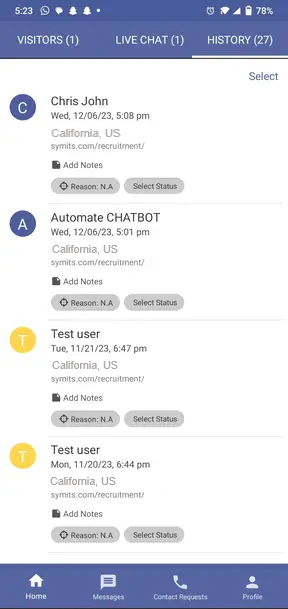
Chat History
When a chat session ends, whether initiated by the visitor or the user, the entire conversation history is automatically saved.
The preserved conversation is easily accessible within the "History" screen on the user's side.
The log includes visitor personal information such as applicant name, chat initiation day, date, and time, location, website URL, attachments exchanged, and the reason for initiating the chat.
User can review this detailed information for a complete understanding of the interaction.
Users have the power to modify the chat status based on their needs.
This feature makes it easier for the user to manage and oversee things. It provides detailed information about the visitor and allows themthe user to make any needed changes.