Create a New Department

To manage departments, go to More > Departments menu item.

To create a new department there are two option
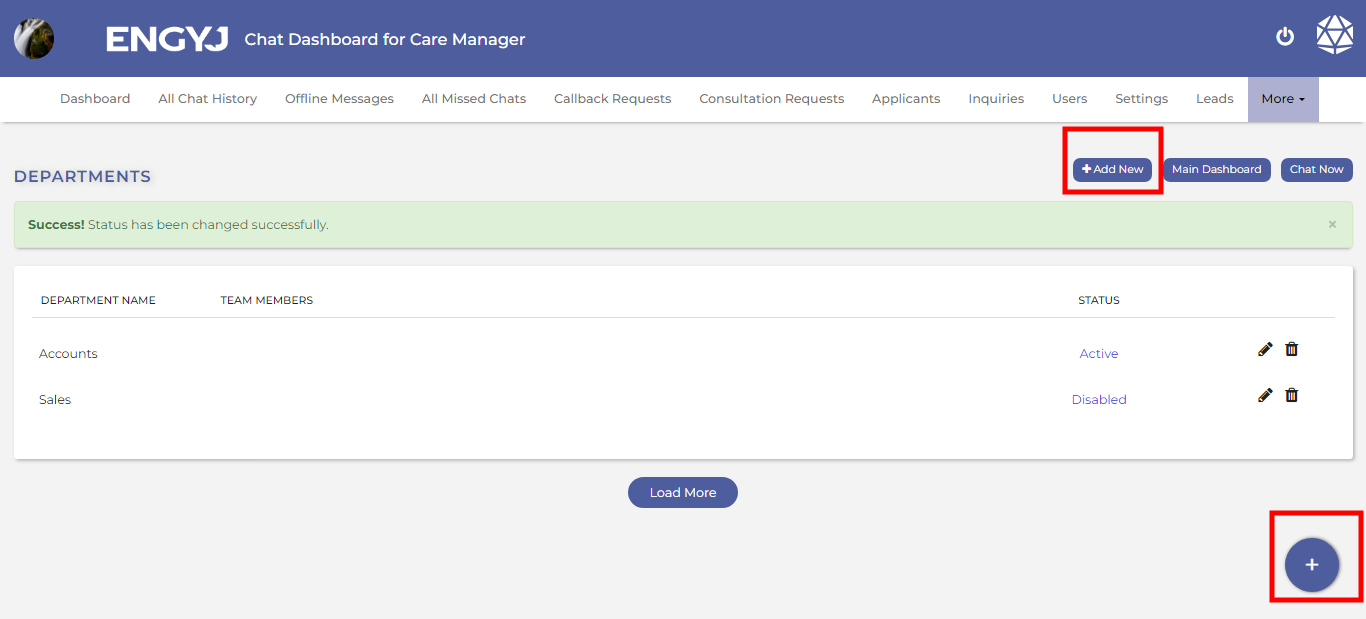
  1. click the + button given in bottom right corner of the screen as shown in following figure.
  2. Click on the add button on the top right corner beside "chat Now and Main dashboard" button


departments-add.png

This will open a dialogue box where you can enter the department name and hit the SAVE button to create the department.


Revision #4
Created 5 December 2023 12:47:52 by Engyj
Updated 6 December 2023 10:50:28 by Engyj