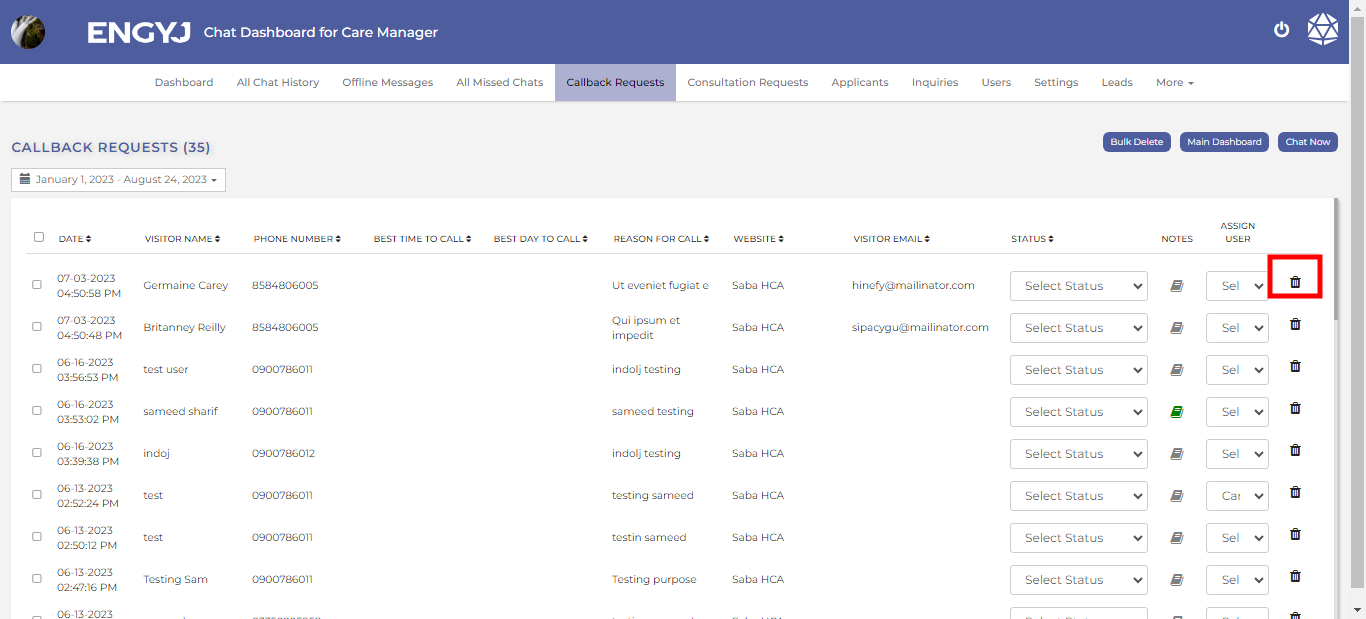
Callback Request
Callback Request
If a visitor wants the admin to contact them at a specific time, they can click on the "Call Back Request" button shown on the webpage. After clicking, the visitor will fill in their credentials and submit the request. This request will then be saved in the "Call Back Request" section.
To manage callback request, go to Callback Request menu item.
Here, you will see a record of all callback request messages.
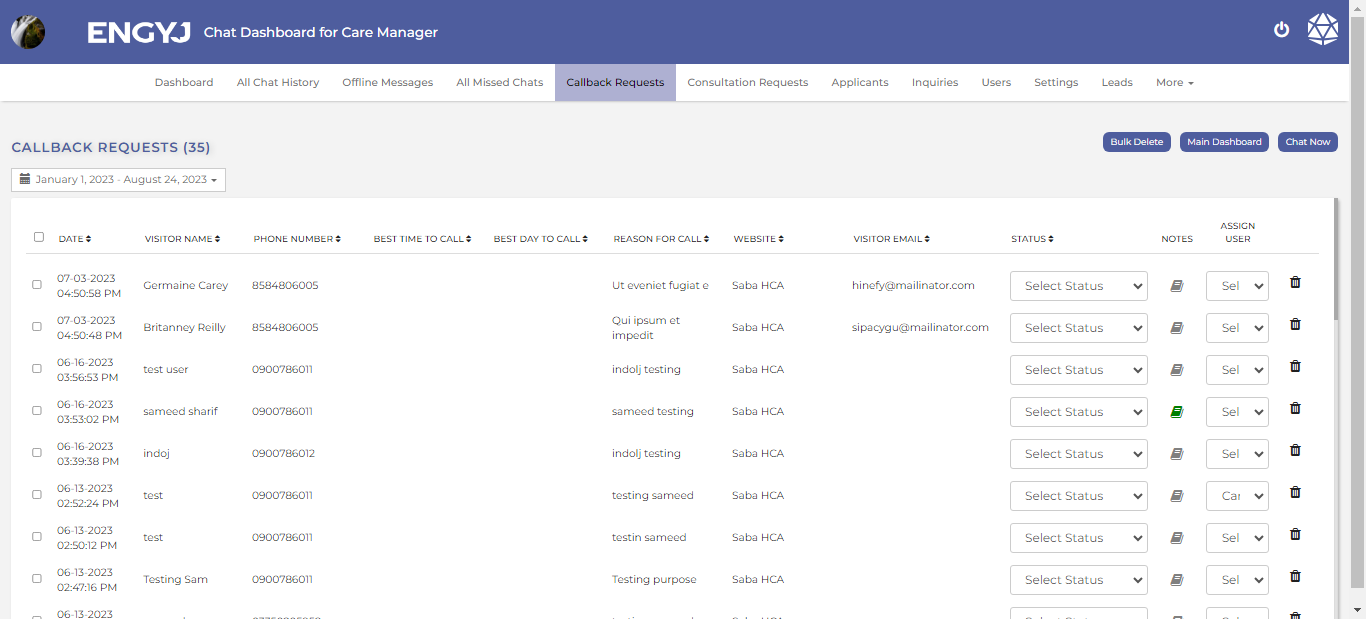
Select Status And Assign User
To manage callback request, go to Callback Request menu item.
You can select the dropdown option available here to change status and assign user.
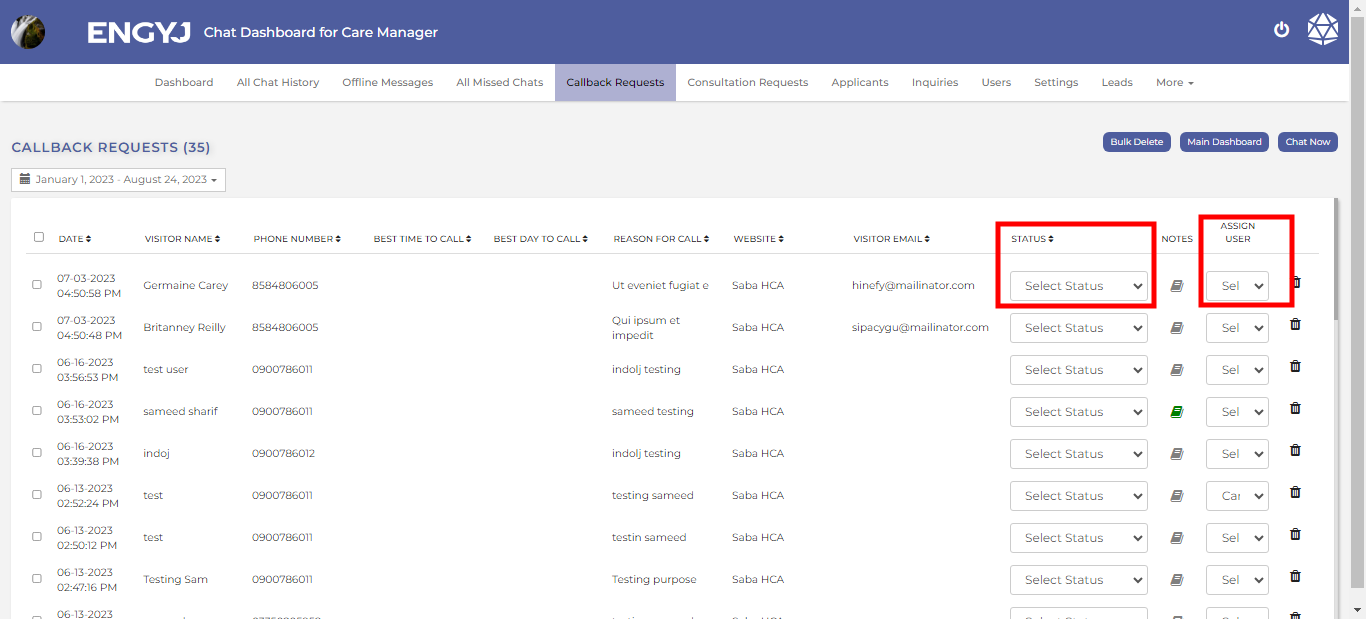
Internal Note
To manage callback request, go to Callback Request menu item.
Here, the admin can also add an internal note by clicking on the book icon.
The chat that has an internal note attached will have its book icon displayed in green.
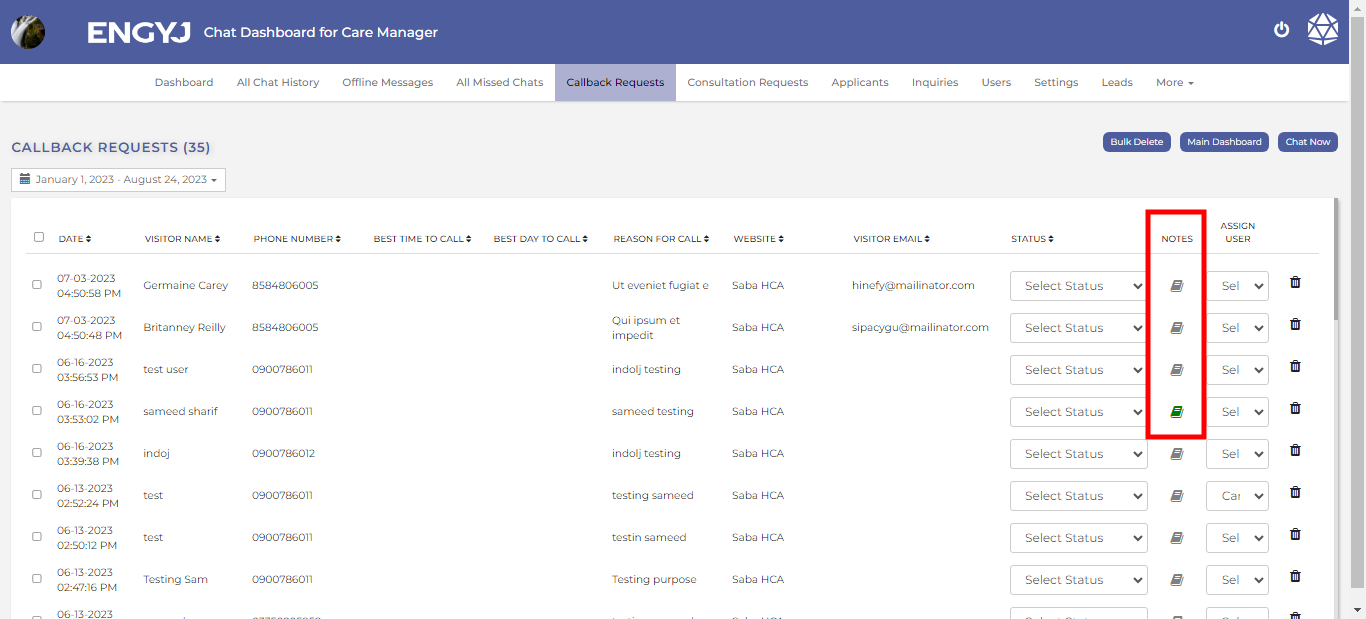
Delete Callback Request
To delete callback request, go to Callback Request menu item.
You can delete a chat by clicking on the delete icon in the right column.